Your iPhone displays the weather, detects your GPS location, and even measures the ambient noise level. But can it really serve as a thermometer to know the temperature of a room or your body? The short answer: an iPhone alone does not measure air or body temperature. The reasons are both hardware and software-related, and reliable alternatives all require an external accessory.
Why the thermal sensors in the iPhone do not measure temperature
Your iPhone does contain temperature sensors. They constantly monitor the internal heat of components (processor, battery) to prevent overheating. Apple utilizes this data through a system called “thermal state,” which classifies the thermal condition of the device into four levels: nominal, fair, serious, critical.
You may have already seen the alert message when your iPhone stays in the sun for too long. This mechanism protects the hardware, not you. These sensors measure the heat of the phone, not that of the environment.
An operating iPhone generates its own heat. Processor, screen, antennas: all these components warm the casing. If an internal sensor indicated the ambient temperature, it would be skewed by this residual heat. To learn more about this topic, you can use a thermometer on iPhone with Info Geeks which details the technical limitations of this measurement.
Thermometer apps on iPhone: what they really measure
The App Store offers dozens of apps that promise to turn your iPhone into a thermometer. Their polished interface, with a display to the tenth of a degree, inspires confidence. But where do these numbers come from?
These apps retrieve weather data via your GPS location. They query services like OpenWeatherMap or the nearest Météo-France stations. In other words, you get the same information as the native weather widget in iOS.
The consequence is direct: if you are in a room overheated by a radiator or in a cool cellar, the app will display the outside temperature of your neighborhood, not the temperature of the room you are in. User reviews on the App Store regularly confirm this disappointment.
What these apps can still provide
Some apps add useful functions around weather data: historical outdoor temperatures, frost alerts, estimated humidity levels. To follow local weather without opening Safari, they fulfill their role. However, no app circumvents the absence of a thermal probe in the iPhone.
Bluetooth external sensors and connected probes: the only reliable measurement on iPhone
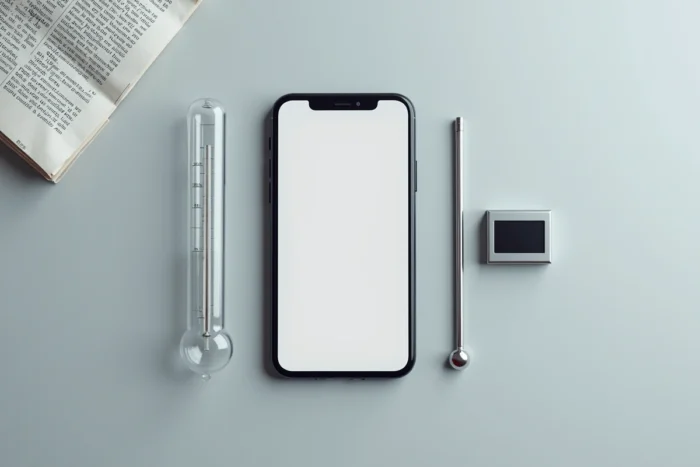
To obtain a true temperature measurement from your iPhone, you need to use an external accessory. Several categories exist, each suited for a specific use.
- Bluetooth probes connect to the iPhone via a dedicated app. They measure the ambient temperature of a room with an accuracy often within half a degree. Some also include a humidity sensor.
- iOS-compatible infrared (IR) thermometers allow you to measure the temperature of a surface or forehead without contact. They plug into the Lightning or USB-C port, or connect via Bluetooth.
- Thermal cameras (like FLIR) turn the iPhone into a thermal imaging tool. They visualize temperature differences on a surface, which is useful for both energy renovation and cooking.
These accessories work thanks to their own calibrated sensors. The iPhone then serves as a display, processor, and storage for the collected data.
How to choose a suitable external sensor
The choice depends on what you want to measure. For the temperature of a room (baby’s room, wine cellar, greenhouse), a Bluetooth probe is sufficient and inexpensive. For body temperature, a certified medical IR thermometer remains the standard.
Before purchasing, check two points: compatibility with your version of iOS, and the presence of certification if the use is medical. An uncertified sensor can display discrepancies of several degrees, making the measurement useless for health monitoring.
Thermal state iOS: a technical indicator, not a thermometer
iOS app developers have access to a data point provided by Apple: the thermal state of the device. This indicator combines the temperature of several internal components to assess whether the phone should reduce its performance.
A technical study on iPhone heating shows that a device can shift from nominal to “fair” state in about fifteen minutes of video playback. In full sunlight, transitioning to more critical states can lead to the shutdown of certain functions (flash, fast charging).
Why does this information matter to an ordinary user? Because some apps misuse this data to estimate an “ambient temperature.” The result is at best approximate, at worst misleading. The thermal state is calibrated to protect the system, not to inform the user about their environment.
What to remember before downloading a thermometer app
The appeal of a free app that would turn the iPhone into a thermometer is understandable. But physics imposes its limits: without a dedicated probe, no software can invent a measurement that the hardware does not provide.
- The “thermometer” apps on the App Store display the local weather temperature, not the temperature of your room
- The internal sensors of the iPhone monitor the heat of components to prevent overheating, with no connection to ambient temperature
- Only external accessories (Bluetooth probes, IR thermometers, thermal cameras) allow for a real measurement from an iPhone
If your need is to monitor the temperature of a specific space, a connected probe paired with a dedicated iOS app remains the most reliable solution. The iPhone then becomes an excellent tool for reading and history, provided it is supplied with the right data.